

stock30
 PCKeys for PC
 PlayStationKeys for PlayStation
 XboxKeys for Xbox
 NintendoKeys for NintendoPCKeys for PCPlayStationKeys for PlayStationXboxKeys for XboxNintendoKeys for Nintendo
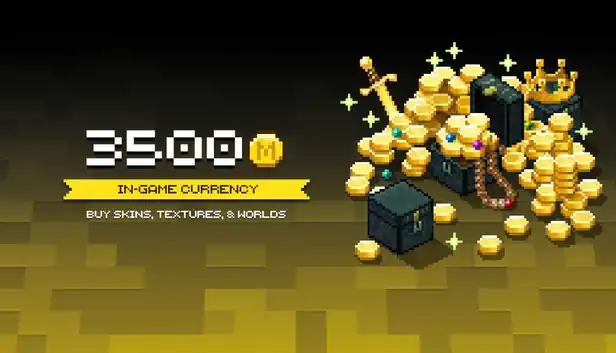
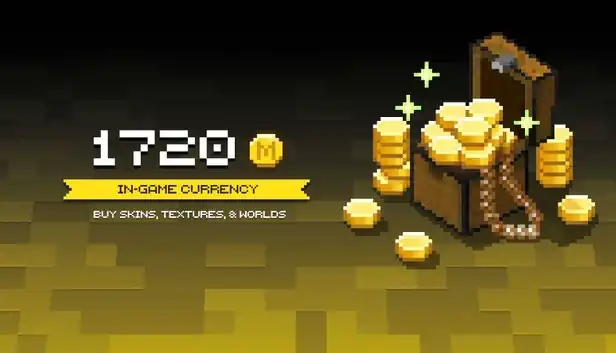
Minecraft, the world-famous sandbox game, gives players endless freedom to build, explore, survive, and create their own adventures. In this creative universe, Minecoins serve as the official in-game currency used in the Minecraft Marketplace, allowing you to purchase skins, texture packs, maps, mini-games, mash-ups, and other exciting content.
With Minecraft Coins, you can customize your character, transform the look of your world, discover new adventures, and unlock content created by the Minecraft community. Whether you want to stand out with a unique skin, explore a custom map, refresh your gameplay with new textures, or expand your Minecraft experience with premium content, Minecoins give you more ways to play your way.
If you want to make your world more personal, more creative, and more exciting, Minecraft Minecoins are the perfect key to unlocking the full potential of the Minecraft Marketplace.
Ezarena.com makes buying Minecoins simple: choose an offer, pay securely, and receive your code from the seller.
You can compare sellers by ratings, reviews, price, and delivery time, so it is easier to pick an offer that matches your expectations. Payments are processed through a secure checkout, and buyer protection helps keep the order safer until the product is delivered.
Many offers are delivered instantly or near-instantly, which is useful when you want to top up your account, redeem a code, or start playing without delay. EZArena.com also supports 200+ payment methods and offers customer support if something goes wrong with your order.
Quick answers about Minecraft Currency offers, delivery and marketplace basics.
Minecoins are the premium currency in Minecraft, used to purchase skins, texture packs, worlds, and other content from the Minecraft Marketplace. They allow players to customize their game experience and access exclusive items.
Minecoins can be purchased through official stores like Microsoft Store, Google Play, or Apple App Store. For faster and often more convenient options, trusted platforms like EZArena.com offer secure Minecoins purchases at competitive prices.
Yes, if you use verified and reliable platforms. EZArena.com ensures safe transactions, instant delivery, and verified sellers, protecting your Minecraft account from potential risks.
Minecoins are spent in the Minecraft Marketplace to buy:
Yes, Minecoins are tied to your Microsoft account, so you can use them across supported platforms including PC, Xbox, mobile, and Nintendo Switch, as long as you are logged in with the same account.
Absolutely. Minecoins provide access to premium content that enhances gameplay, offers customization options, and unlocks exclusive items. Using trusted platforms like EZArena.com ensures a fast, secure, and hassle-free purchase.
Real reviews from people who use our services.
%22%2F%3E%0A%20%20%20%20%20%20%20%20%3Cpath%20d%3D%22M24%2042c0-9%207-16%2016-16s16%207%2016%2016v10H24V42z%22%20fill%3D%22%23e2e8f0%22%2F%3E%0A%20%20%20%20%20%20%20%20%3Crect%20x%3D%2230%22%20y%3D%2244%22%20width%3D%2220%22%20height%3D%226%22%20rx%3D%223%22%20fill%3D%22%23141148%22%2F%3E%0A%20%20%20%20%20%20%20%20%3Crect%20x%3D%2236%22%20y%3D%2250%22%20width%3D%228%22%20height%3D%2210%22%20rx%3D%223%22%20fill%3D%22%23cbd5f5%22%2F%3E%0A%20%20%20%20%20%20%3C%2Fsvg%3E)
My first transaction on this site was PERFECT. The seller delivered the item in under 3 minutes and it was exactly as described. No scam, no stress – I will definitely be buying here again.
Wonderful customer service, I order the product I selected and got everything fairly quickly. Thank you
I bought a Clash of Clans account and it was exactly as I wanted, no account locks, fast delivery, I will definitely use this marketplace again.
Good i can recommend. I bought new Gucci shoes in CS2 and now I can fly.
Fast delivery, got the code within 1 hour, support is active 24/7, quite suprising.
I've made an order rent a pro player in warframe service for 6 hours and the guy did a great job he even got me things i was going to make order with to have it. great website with great service.
Goooood very nise.
Good Bosster.